
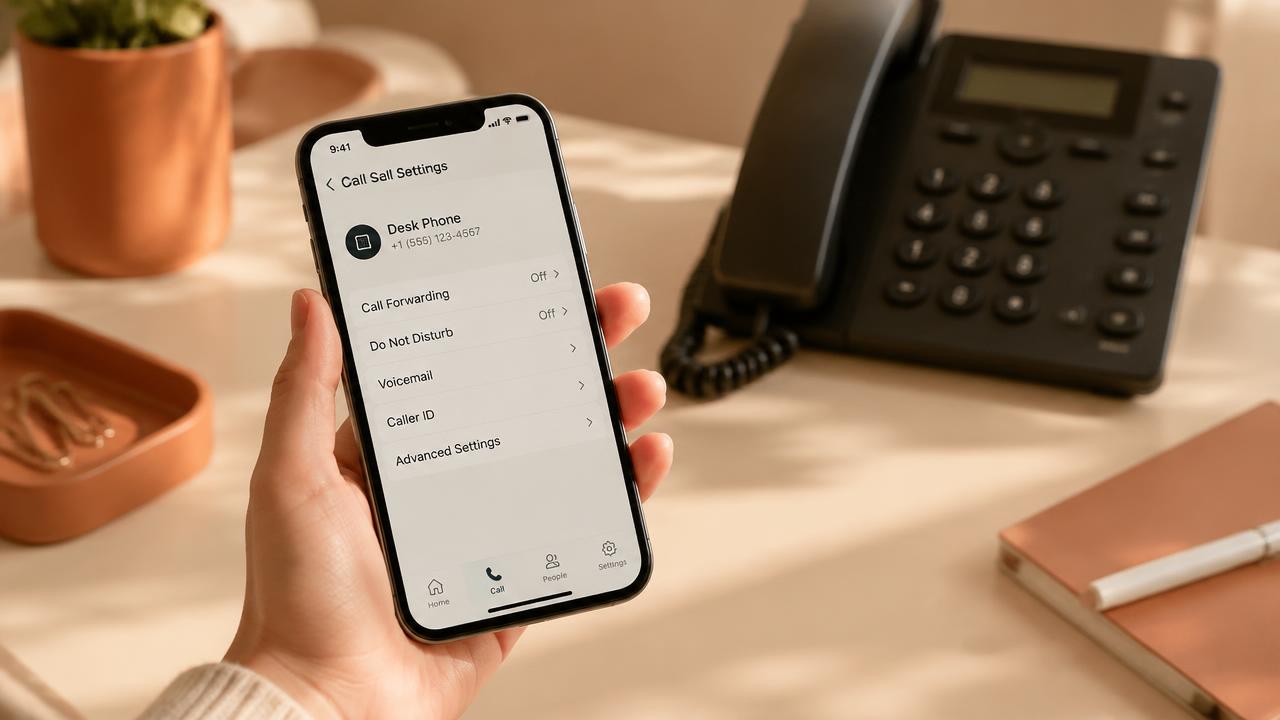
In today's fast-paced business world, every missed call is a missed opportunity. Whether you are a freelancer, a small business owner, or part of a large organization, managing your phone communications effectively is crucial for maintaining a professional image and ensuring customer satisfaction. This is where conditional call forwarding comes in-a powerful yet often overlooked feature of your mobile or landline phone service. Unlike unconditional call forwarding, which redirects every single incoming call, conditional forwarding allows you to maintain control by only redirecting calls under specific circumstances, such as when you don't answer, when your line is busy, or when you are out of reach. This technology serves as the fundamental backbone for innovative services like Alloia, which transforms your missed calls into SMS-based dialogue opportunities. In this comprehensive guide, we will explore in depth what conditional call forwarding is, how it works technically, how to activate it on major Canadian networks, and how to troubleshoot the most common issues to ensure you never lose contact with your customers again.
What is Conditional Call Forwarding?
Conditional call forwarding, also known as intelligent call redirection, is a network-level feature that allows an incoming call to be transferred to another number only if certain conditions are not met on your primary line. This is a major distinction from standard (unconditional) call forwarding, which sends all calls directly to another number without even ringing your own phone.
There are typically three types of conditions that trigger this transfer: no answer, busy line, or network unreachability. This granularity allows professionals to continue using their phones normally for personal calls or calls they can answer, while ensuring a backup solution is in place for moments when they are unavailable. It is the preferred mode of operation for businesses that want to pair their telephony with automated messaging systems or external call centers without sacrificing their mobility.
For Alloia users, conditional call forwarding is the tool that tells the system when to send an automatic SMS. When you don't pick up, your carrier's network (such as Bell, Rogers, or Telus) redirects the call to your dedicated Alloia number, which instantly triggers the sending of a follow-up text message to your customer.
The Four Pillars of Call Redirection
To properly configure your system, it is essential to distinguish between the four types of call forwarding available on most modern networks. Each type has its own activation code and network behavior.
1. Unconditional Forwarding (All Calls): This mode systematically redirects every incoming call to another number. Your phone will never ring. It is useful if you are going on vacation or if your device is being repaired, but it is not the ideal mode for daily business use if you still want to screen your calls.
2. Forwarding if No Answer: This is the most used condition. Your phone rings for a predetermined duration (usually 20 seconds). If you do not answer within this timeframe, the call is transferred. This is the perfect setting to allow Alloia to take over only when you are actually busy.
3. Forwarding if Busy: This condition activates when you manually reject a call or if you are already on the line without an active call waiting feature. Instead of giving the customer a busy tone, the network directs them to your messaging solution or backup number.
4. Forwarding if Unreachable: If your phone is off, in airplane mode, or if you are in an area without network coverage, this rule applies. It ensures service continuity even in the event of a technical failure or battery issue.
How the Technology Works Behind the Scenes
Call redirection does not happen on your device itself, but at the switch level of your telecommunications service provider. This is known as a network feature. When someone dials your number, the signal arrives at your operator's Mobile Switching Center (MSC). The MSC attempts to establish a connection with your phone.
If the chosen condition is met (for example, the switch waits 20 seconds and does not receive a pick-up signal), it consults your subscriber profile to see if a transfer number is registered. If so, it initiates a new call leg to that destination number. This is an almost instantaneous process that takes place in milliseconds within the telecommunications infrastructure.
It is important to note that since the call is processed by the network, it can continue to work even if your phone is physically destroyed or discharged. For VoIP systems or private branch exchanges (PBX), the principle is similar but uses the SIP protocol to redirect the voice data flow to another IP address or PSTN gateway.
GSM MMI Codes: Your Phone's Secret Language
The most reliable and fastest way to configure conditional call forwarding is to use GSM MMI (Man-Machine Interface) codes. These codes are universal sequences that you enter directly on the numeric keypad of your Phone app, as if you were dialing a number, and then you press the call button.
Here are the standard codes used by the vast majority of mobile operators worldwide, including the major Canadian carriers. Note that you should always check with your provider, as some networks may have proprietary variations.
*61*: This code manages forwarding if you do not answer. To activate it, dial *61* followed by the destination number, then end with the hash symbol #. For example: *61*5145551234#.
*62*: This code manages forwarding if you are unreachable (phone off or out of network). The syntax is the same: *62*number#.
*67*: This code manages forwarding if your line is busy. Syntax: *67*number#.
##004#: This is the 'master' code to deactivate and erase all conditional call forwardings at once. It is often the recommended first step to start fresh when configuring new services.
- Activate forwarding if no answer: *61*number#
- Activate forwarding if unreachable: *62*number#
- Activate forwarding if busy: *67*number#
- Check current status: *#61# or *#62# or *#67#
- Deactivate without erasing the number: #61#
- Deactivate and erase completely: ##61#
Customizing the Ring Delay
One of the most useful aspects of the *61 code is the ability to define exactly how long your phone should ring before the transfer occurs. By default, most networks are set to 20 seconds, but you can adjust this delay in 5-second increments, usually between 5 and 30 seconds.
The extended syntax for this setting is: **61*number*11*seconds#. The number 11 is the standard service code for voice. For example, if you want your phone to ring for 30 seconds before sending the call to Alloia, you would dial: **61*15145551234*11*30#.
Reducing this delay can be useful if you want the follow-up SMS to be sent very quickly to your customers, while increasing the delay gives you more time to run to your phone if you are often away from your device.
The Canadian Carrier Landscape
In Canada, the Big Three (Bell, Rogers, Telus) as well as their subsidiary brands (Fido, Virgin, Koodo, Lucky Mobile, Chatr) generally support standard GSM codes. However, there are regional and technological peculiarities.
Networks like Rogers and Fido sometimes have historical conflicts between integrated voicemail and conditional call forwarding. On some plans, if your voicemail is active, it may 'intercept' the call before the conditional forwarding can execute. It is then necessary to deactivate voicemail with customer service to free up the transfer function.
For landline services (wired lines) such as those offered by Videotron or Bell Home Phone, GSM codes do not work. Instead, 'Vertical Service Codes' are used. For example, *72 is often used to activate forwarding and *73 to deactivate it. As these codes vary greatly from one provider to another, we strongly recommend consulting your specific provider's support site or contacting them directly to confirm the exact procedure for your landline or business VoIP system.
Costs and Minutes Considerations
An often-overlooked aspect of call forwarding is its impact on your monthly bill. Technically, a forwarded call creates a new outbound connection from your number to the destination number. Consequently, most operators count the minutes of the forwarded call against your monthly plan, just as if you had placed the call yourself.
If you have a plan with unlimited Canada-wide calling, this is generally not an issue. However, if you have a plan with limited minutes, each call redirected to Alloia or another service will consume your credit. Additionally, if you redirect your calls to a number outside your local calling area or abroad, long-distance charges may apply.
Always check if your 'Call Forwarding' option is included for free in your plan. With some providers like Koodo, call forwarding may be a paid monthly option or charged per use. A quick prior check can save you from unpleasant surprises on your next bill.
The Conflict with Voicemail
This is the number one technical challenge for users of services like Alloia. Your voicemail provided by your carrier (Bell, Rogers, Telus, etc.) is itself configured as a conditional call forward. When you don't answer, the network must choose between sending the call to your voicemail or to the Alloia number.
If your voicemail wins, the caller will be able to leave a message, but Alloia will never receive the call and therefore cannot send the automatic SMS. To solve this problem, activating forwarding to Alloia with codes *61, *62, and *67 usually replaces the voicemail number in the network settings. However, some systems 'force' the return to voicemail after a certain number of rings.
If you find that your calls continue to go to your voicemail instead of triggering Alloia, try completely deactivating your voicemail. If this is not possible via your phone settings, a short call to your provider's technical support to request the removal of the voicemail feature will almost always resolve the conflict.
Step-by-Step Testing Procedure
Once configuration is complete, it is imperative to test the system to ensure everything is working as expected. Do not just rely on the confirmation message on your screen.
1. Use another phone (a colleague's or a landline) to call your business number.
2. Let the phone ring. Do not manually reject the call for the first test.
3. Count the number of rings or seconds. The call should be transferred after the delay you configured (often 20 seconds).
4. Verify that the call successfully reaches the Alloia destination number. You should not hear your usual voicemail.
5. If you are using Alloia, check your mobile phone to see if you receive the missed call notification and if the automatic SMS was sent to the test number.
6. Repeat the test by manually rejecting the call to check the 'Busy' condition (*67), then by putting your phone in airplane mode to check the 'Unreachable' condition (*62).
Troubleshooting: 8 Common Problems and Solutions
1. 'Invalid MMI Code' Error Message: This often happens if your plan does not support call forwarding or if you have a poor network connection when sending the code. Try moving to an area with better reception or enable Wi-Fi Calling if your device allows it.
2. Call Always Goes to Voicemail: As mentioned earlier, this is often a network priority conflict. Deactivate your voicemail or use code ##004# to reset everything before reprogramming your forwards.
3. Code Seems to Work but Nothing Changes: Some operators require a phone restart for network configuration changes to be fully recognized on the device.
4. Unexpected Charges: Check that the destination number is not considered long-distance by your provider.
5. Redirection Loop: Ensure that the number you are forwarding to is not itself configured to forward calls back to you, which would create an infinite loop blocking the line.
6. Ring Delay Does Not Change: Some operators (like Freedom Mobile or certain prepaid plans) impose a fixed 20-second ring delay and ignore the '*11*seconds' part of the GSM code.
7. Multi-SIM or eSIM: If you have two SIM cards in your phone, make sure to launch the code from the correct line. Android settings generally allow you to choose which SIM is used for outgoing calls by default.
8. VoLTE and Wi-Fi Calling: Sometimes advanced voice technologies like VoLTE can interfere with traditional MMI codes. If codes fail, try temporarily disabling VoLTE in your phone's connection settings while you configure forwarding.
Using Conditional Forwarding with Alloia
Alloia is designed specifically to take advantage of conditional call forwarding. The goal is simple: never leave a customer unanswered. When a customer calls your business and you cannot answer, conditional forwarding directs the call to Alloia.
To set this up, you must first obtain your unique destination number. In your Alloia dashboard, go to the 'Phone numbers' page. There you will find the Alloia number that has been assigned to you. This is the number you must use in your GSM codes.
For example, if your Alloia number is 1-888-555-0123, you will dial *61*18885550123# on your business phone. From that moment on, every missed call will trigger Alloia's intelligence to send a professional and polite SMS to your customer, asking how you can help them in writing. This transforms potential frustration into a modern and responsive customer experience.
FAQ - Frequently Asked Questions
Can I use conditional call forwarding to an international number? Yes, technically it is possible, but be extremely careful about international long-distance charges that will be billed for every second of the forwarded call.
Will my contacts see that the call is being forwarded? Generally, no. The caller simply hears normal rings. Some networks may emit a short beep or display a 'Call forwarded' message on the caller's screen, but this is increasingly rare with modern networks.
Does conditional forwarding work if my phone runs out of battery? Yes, for the 'Unreachable' (*62) and 'Busy' (*67) conditions. For 'No Answer' (*61), if your phone is off, the network usually switches directly to the 'unreachable' condition.
Can I have different numbers for each condition? Absolutely. You could forward unanswered calls to Alloia, and busy calls to a colleague or a physical receptionist service.
Does Alloia work with office landlines? Yes, provided your landline provider supports call forwarding. You will simply need to use the activation method specific to landlines (often *72) instead of mobile GSM codes.
How do I know if my forwarding is active without calling? You can use status codes: dial *#61# to see if forwarding on no answer is active and which number it points to.